Kitchen workflows · 4 min read
Kitchen handoffs: make the next step unmistakable
A display can show a ticket, but a team still needs a shared handoff routine. Build a practical station checklist before the next busy service.
By Peekaboo Digital · October 27, 2026
Map responsibility, not just screens
Choose an order that crosses more than one station. List who receives it, who prepares each component, who checks modifiers and who releases the finished order. A handoff is a transfer of responsibility, not simply a plate placed on a counter. If two people think the other person is checking the order, the process is not yet clear.
Walk the route during a quiet period and then observe it during service. Record the points where someone needs to ask what happens next. The goal is not to remove useful conversation; it is to make recurring instructions consistent. Agree where completed components wait and who confirms that the next station has received them.
Use tickets and timers as shared cues
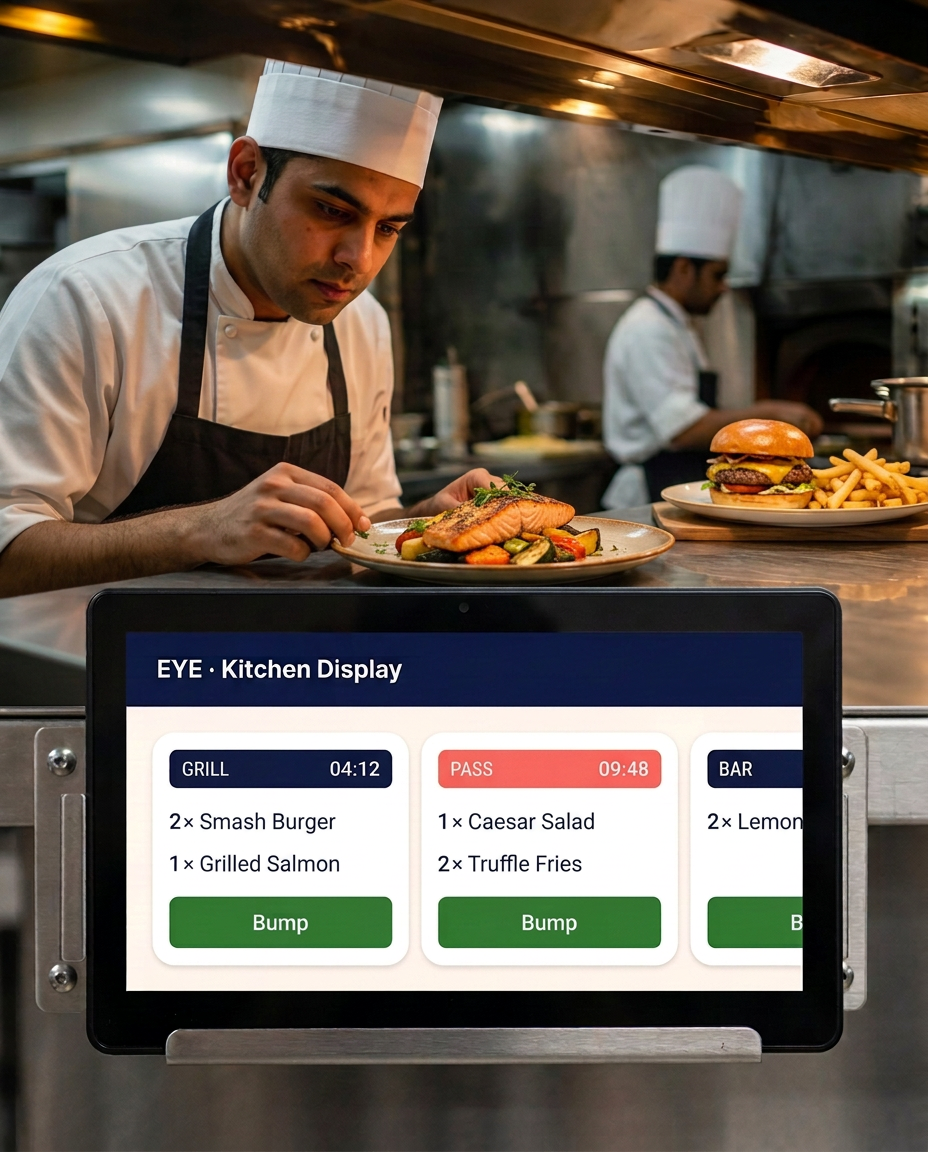
EYE includes a kitchen display with station tickets and timers. Those visible cues can support a shared view of the work waiting at a station. They do not replace the cook's judgement about preparation time, food safety or when different components should start. Ask to see the workflow with your own menu structure before deciding it is a fit.
Checklist: can staff identify the correct order and station? Are modifiers visible at the point where they matter? Who is responsible for marking work complete? What does the team do when a ticket needs clarification? Document the answers in plain language. Avoid treating a timer as a guaranteed completion estimate or an automatic cooking coordinator.
Define what happens when plans change
The busiest moment is not the best time to invent a correction routine. Agree who handles a changed order, an unavailable item or a component that needs to be remade. Make it clear who speaks to the front counter and who confirms the revised instruction with the preparation team. Keep food-safety procedures under your existing trained supervision.
Test these situations alongside a normal order in any technology demonstration. Ask what is supported in the current configuration and what requires a staff procedure. Write down limitations as well as strengths. A useful system evaluation includes the awkward exceptions, not just the cleanest ticket on a screen.
Review one handoff after the shift
Choose one recurring handoff for a short team review. Ask what information was missing, where a component waited and whether responsibility was obvious. Make a single process change, such as a clearer confirmation phrase or a designated waiting position, and observe it on another comparable shift. Keep your notes specific rather than attributing every change to the software.
Before rolling out a new display, include a short practice session for the people who will use it. Check screen readability from the working position and confirm the fallback process if a device or connection is unavailable. The best demo question is often simple: show us how our team knows what to do next.
Your next step
Bring one awkward kitchen handoff to your 15-minute EYE demo. Explore station tickets and timers, and see what a clearer workflow could look like for your team.